Threads Scheduler — Schedule Threads Posts with Postger
Plan and auto-publish Threads posts from a visual content calendar. Coordinate your Threads strategy with Instagram, LinkedIn, Facebook, and other platforms in one dashboard.
Why schedule Threads posts?
Threads is growing fast. Meta's text-based platform has gained significant traction since its 2023 launch, and the audience continues to expand. For brands already active on Instagram, Threads offers a natural extension to reach their audience in a more conversational format.
Scheduling Threads posts lets you maintain consistency without adding another manual publishing task to your daily routine. You can batch-create Threads content alongside your Instagram and LinkedIn posts, schedule everything on a single calendar, and let the scheduler handle publishing.
Early adoption matters on new platforms. Brands that establish a consistent presence on Threads now build their audience before the platform becomes saturated. A scheduler makes it easy to maintain that consistency without opening the Threads app every day.
For agencies managing multiple clients, Threads is just one more platform to keep up with. Without a scheduler, every new platform adds manual work. With Postger, adding Threads to a client's content plan takes minutes because it fits into the same scheduling workflow you already use for Instagram, LinkedIn, and Facebook.
How to schedule Threads posts with Postger
Connect your Threads account to Postger through the Social Accounts section. Threads authentication is handled through Meta's login flow, so if you already have your Instagram connected, adding Threads is straightforward.
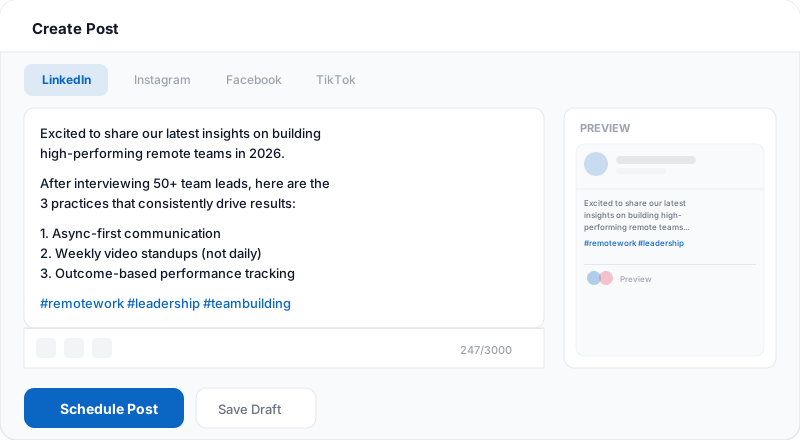
Create your post in the composer. Write your text, optionally attach an image, and select Threads as the target platform. If you are also posting to Instagram, LinkedIn, or other platforms, toggle those on and customize the copy for each using per-platform tabs.
Pick a date and time on the content calendar or add the post to a smart queue. Click Schedule. Postger publishes your Threads post automatically at the scheduled time. You can see it on the calendar alongside all your other platform content.
After publishing, track engagement in Postger's analytics dashboard. See likes, replies, reposts, and engagement rate for every Threads post alongside your other platforms.
What kind of content works on Threads?
Threads is a text-first platform. Unlike Instagram where the image is the main event, on Threads the text carries the post. Brands that do well on Threads share opinions, ask questions, post behind-the-scenes updates, and engage in real-time conversations.
The tone tends to be more casual and authentic than LinkedIn. Think of Threads as the place where your brand's voice sounds like a real person rather than a press release. Quick takes, hot takes, industry observations, and even self-deprecating humor all perform well.
Images are supported but optional. When you do attach an image, it should complement the text rather than replace it. Screenshots, memes, charts, and behind-the-scenes photos work better than polished marketing graphics.
A good Threads content strategy mixes scheduled core content (announcements, thought leadership, content promotion) with spontaneous engagement (replies, conversations, trending topics). Use Postger to schedule the planned posts and keep your profile active, then jump into the app for real-time interactions.
Plan your Threads content on a visual calendar
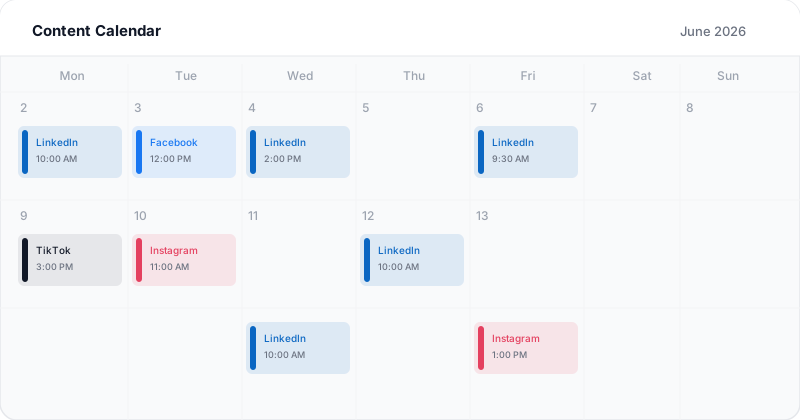
Postger's content calendar shows all your Threads posts alongside Instagram, LinkedIn, Facebook, TikTok, and other platforms. Each post appears as a color-coded card with a preview of the text and the scheduled time.
You can drag and drop posts to reschedule them, view your content in month, week, or day views, and see post statuses (draft, pending approval, scheduled, published). This gives you a complete picture of your content pipeline across every platform.
For Threads specifically, the calendar helps you avoid over-posting or under-posting. You can quickly see if you have a gap in your Threads schedule and fill it, or if you have too many posts stacked on the same day and need to spread them out.
Related guides
Threads vs X (Twitter): where to focus?
Threads and X (formerly Twitter) compete for the same text-based social media space. Both platforms favor short-form text content, conversations, and real-time engagement. The question many brands face is whether to be active on both or pick one.
Threads has the advantage of being connected to Instagram's user base. If your audience is already on Instagram, they are likely on Threads too. X has a larger established user base and stronger real-time news and conversation features.
With Postger, you do not have to choose. Schedule content to both Threads and X (if supported) from the same composer, customizing the copy for each platform's audience. You can also add TikTok and Facebook to the same post. The calendar shows both side by side so you can maintain a consistent presence on each without doubling your workload.
Track Threads performance with analytics
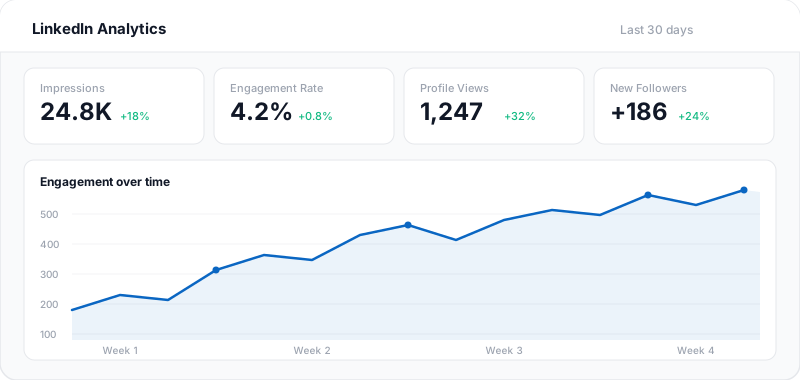
Postger's analytics dashboard shows engagement metrics for every Threads post: likes, replies, reposts, quotes, and engagement rate. You can compare Threads performance against your other platforms to understand where your audience is most responsive.
Over time, you will see patterns. Maybe your question posts get more replies while your opinion posts get more reposts. Maybe posts published in the morning outperform evening posts. These insights help you refine what you post and when.
For agencies, analytics reports can be generated and shared with clients covering Threads alongside all other platforms in one unified view.
Threads scheduling for teams and agencies
Postger's team features work the same way for Threads as for every other platform. Set up approval workflows, use the client portal for external reviews, and manage each client in an isolated workspace.
Because Threads content is text-focused, the review process is often faster than for visual platforms like Instagram. But the same quality controls apply: nothing publishes without the right approvals, and all feedback lives next to the post it refers to.
The Agency plan at $41/month includes unlimited users, workspaces, and social profiles. Adding Threads to a client's content plan costs nothing extra.
Key Threads scheduling features
Direct Threads publishing
Schedule text and image posts to Threads through the official API. Posts publish automatically at the chosen time.
Cross-platform coordination
Schedule Threads posts alongside Instagram, LinkedIn, Facebook, and TikTok on the same calendar.
Team approval workflows
Route Threads posts through your team for review before publishing. Maintain quality control across every platform.
Visual content calendar
See your Threads content alongside all other scheduled posts. Drag and drop to reschedule.
Bulk scheduling
Create multiple Threads posts in one session and schedule them across the week or month.
Performance tracking
Monitor Threads engagement alongside your other platforms in unified analytics.
Smart queues
Define recurring time slots for Threads and let Postger fill them automatically from your content queue.
Media library
Attach images from your shared media library to Threads posts without re-uploading.
Postger vs Threads native scheduling
| Feature | Postger | Threads |
|---|---|---|
| Schedule posts in advance | Limited | |
| Visual content calendar | - | |
| Multi-platform scheduling | 10+ platforms | Threads only |
| Team approval workflows | - | |
| Bulk scheduling | - | |
| Desktop scheduling | ||
| Client portal for review | - | |
| Cross-platform analytics | Threads only | |
| Image posts | ||
| Recurring time slots | - | |
| Smart queues | - | |
| Media library | - |
Frequently asked questions
Can you schedule Threads posts?
Yes. Postger supports scheduling Threads posts through the official Threads API. Create your post, pick a date and time, and Postger publishes automatically. You can also coordinate Threads posts with your Instagram, LinkedIn, and other platform content.
Does scheduling Threads posts affect reach?
No. Postger publishes through the official Threads API, so your post appears exactly as if you published it natively. Threads does not penalize posts from authorized third-party tools.
Does Threads have a built-in scheduling feature?
Threads has limited native scheduling. For a full scheduling workflow with a visual calendar, team approvals, bulk scheduling, and cross-platform coordination, a dedicated scheduler like Postger gives you much more control.
Can you cross-post to Threads and Instagram?
With Postger, you can schedule separate, optimized posts for both Threads and Instagram from the same composer. Customize the content for each platform's audience using per-platform tabs. Both posts schedule and publish independently.
What kind of content works best on Threads?
Threads favors conversational, text-first content. Opinions, questions, behind-the-scenes updates, and quick takes tend to perform well. Unlike Instagram's visual focus, Threads is about the text. Images are optional and complement the message rather than being the main focus.
How often should I post on Threads?
Most brands see good results with 3 to 5 Threads posts per week. Consistency matters more than volume. Postger's smart queues let you set recurring time slots and the scheduler fills them automatically as you add content.
Is it safe to connect my Threads account?
Yes. Postger connects through Meta's official OAuth flow. You authorize Postger directly on Meta's website, and your password is never shared with or stored by Postger. You can revoke access at any time.
Can my team review Threads posts before publishing?
Yes. Postger includes approval workflows where posts go through one or more reviewers before publishing. Agencies can also use the branded client portal for external approvals.
How much does a Threads scheduler cost?
Postger plans start at $17/month (billed yearly) with a 7-day free trial. Threads scheduling is included on all plans alongside 10+ other platforms. No per-seat or per-channel fees.
Ready to schedule your Threads posts?
Start your 7-day free trial. No credit card required.
$0.00 due today, cancel anytime
Schedule posts on other platforms
Schedule posts, carousels, and articles to your LinkedIn profile and company pages.
Schedule posts, Reels, and multi-image content to Facebook Pages and Groups.
TikTok
Upload, schedule, and auto-publish TikTok videos alongside your other platforms.
Schedule pins to specific boards and manage your Pinterest content from one calendar.
Schedule feed posts, Reels, Stories, and carousels to your Instagram accounts.