Pinterest Scheduler — Schedule Pins with Postger
Plan, schedule, and auto-publish Pinterest pins from a visual content calendar. Target specific boards, schedule pins alongside your other social platforms, and manage everything from one dashboard.
Why schedule Pinterest pins?
Pinterest is a search engine as much as a social platform. Pins have a much longer shelf life than posts on Instagram or Facebook. A single pin can drive traffic to your website for months or even years after you publish it. But to maximize reach, you need to pin consistently, and that means maintaining a regular publishing schedule.
Scheduling pins lets you plan your content calendar in advance. Create a batch of pins during a focused session, schedule them across the week, and let the scheduler handle publishing. You maintain consistency without needing to open Pinterest every day.
For e-commerce brands and bloggers, Pinterest is often the top social traffic driver. Consistent pinning with keyword-optimized descriptions builds compound traffic over time. The more high-quality pins you have out there, the more search queries you rank for.
For agencies managing Pinterest accounts for multiple clients, scheduling is essential. Each client may have different boards, different audiences, and different content strategies. A social media scheduler like Postger lets you manage all of them from one dashboard and coordinate Pinterest content with the client's Instagram and Facebook accounts.
How to schedule Pinterest pins with Postger
Connect your Pinterest account to Postger in the Social Accounts section. Click Add Account, select Pinterest, and authorize the connection. Postger connects through Pinterest's official API for full scheduling support.
Create your pin in the composer. Upload your image (vertical images with a 2:3 aspect ratio work best on Pinterest), write a description with relevant keywords, add a destination URL, and select the target board. If you are also posting to other platforms, toggle them on and customize the content for each.
Pick a date and time on the visual calendar or add the pin to a smart queue. Click Schedule, and Postger publishes the pin automatically. You can see it on the calendar alongside your Instagram, Facebook, LinkedIn, and other platform content.
After publishing, track pin performance in Postger's analytics. See impressions, saves, clicks, and close-ups for every pin alongside your other platform metrics.
Pinterest SEO: how to make your pins discoverable
Pinterest functions as a visual search engine. When users search for something on Pinterest, the algorithm looks at pin descriptions, board names, profile information, and image content to determine which pins to show. This means Pinterest SEO is real, and it follows similar principles to Google SEO.
Start with keyword research. Think about what your target audience searches for on Pinterest and include those terms naturally in your pin descriptions. For example, if you sell home decor, descriptions like 'minimalist living room ideas' or 'modern farmhouse kitchen' help Pinterest understand what your pin is about and surface it in relevant searches.
Board names and descriptions matter too. Name your boards with searchable terms, not creative or branded names. A board called 'Kitchen Renovation Ideas' will get more search traffic than 'Our Fave Spaces'. Write board descriptions that include related keywords.
Consistency signals quality to Pinterest's algorithm. Accounts that pin regularly are more likely to be surfaced in search results and recommended feeds. Postger's scheduling features help you maintain the consistent pinning cadence that Pinterest rewards. Use analytics to see which keywords and boards drive the most traffic over time.
Driving website traffic with Pinterest
Unlike most social platforms where content has a shelf life of hours or days, Pinterest pins can drive traffic for months or years. This makes Pinterest one of the highest-ROI social platforms for businesses that create visual content, especially e-commerce brands, bloggers, recipe sites, and home decor companies.
Every pin can include a destination URL. When a user clicks on your pin, they go directly to your website, blog post, or product page. This direct link between discovery and website visit makes Pinterest a powerful traffic source, often outperforming Instagram and Facebook for click-through rates.
The key to driving traffic is volume and consistency. The more high-quality, keyword-optimized pins you publish, the more search queries you appear for. Scheduling 10 to 15 pins per day across different boards maximizes your surface area on the platform. Postger's bulk scheduling and smart queues make this volume sustainable.
Track which pins drive the most clicks in Postger's analytics. Double down on the content types, keywords, and boards that generate the most website traffic.
Related guides
When is the best time to post on Pinterest?
Pinterest engagement patterns are different from most social platforms. Evening and weekend activity tends to be higher because people browse Pinterest for inspiration during their downtime. Saturday and Sunday between 8 PM and 11 PM are generally strong windows.
Weekday evenings (8 PM to 10 PM) also perform well. Some niches, like food and recipes, see spikes around mealtimes. Fashion and home decor tend to peak on weekends when people are planning projects.
Postger analyzes your account's engagement data and suggests optimal posting windows based on when your audience is most active. Combined with smart queues, you can define your pinning schedule once and let the scheduler maintain it automatically.
Postger vs Pinterest native scheduling
Pinterest offers built-in scheduling on its business platform. You can create a pin and select a future date and time for it to go live. For a solo business owner managing one Pinterest account, native scheduling covers the basics.
The limitation is scope and workflow. Pinterest native scheduling only works for Pinterest. If you also post to Instagram, Facebook, LinkedIn, or TikTok, you need separate tools for each. There are no team approval workflows, no cross-platform calendar, and no unified analytics.
Postger brings Pinterest into the same dashboard as your other platforms. You see your pin schedule alongside Instagram, Facebook, and LinkedIn on one calendar. Team members review and approve pins before publishing. Clients can approve through a branded portal. And analytics show Pinterest performance alongside every other platform. The comparison table below covers all the differences.
Track Pinterest performance with analytics
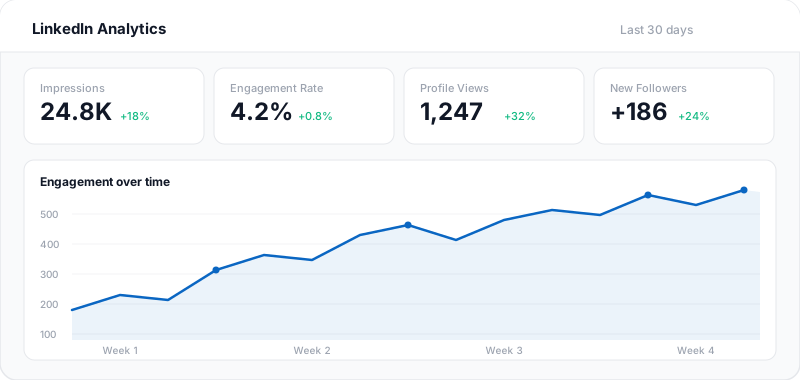
Postger's analytics dashboard shows performance metrics for every pin: impressions, saves, clicks, close-ups, and engagement rate. You can see which pins drive the most website traffic and which boards perform best.
Cross-platform comparison helps you understand where Pinterest fits in your overall social strategy. Maybe your Pinterest pins drive more website clicks than your Instagram posts, or maybe certain types of content perform better on Pinterest than on other platforms.
For agencies, analytics reports can be generated and shared with clients covering Pinterest alongside all other platforms in one unified view.
Pinterest scheduling for teams and agencies
Postger's team features work the same way for Pinterest as for every other platform. Set up approval workflows, use the client portal for external reviews, and manage each client in an isolated workspace with its own boards, media library, and analytics.
For agencies managing multiple Pinterest accounts, the workspace isolation is especially important. Each client's boards and pin strategy are completely separate. There is no risk of pinning to the wrong account.
Pricing is flat. The Agency plan at $41/month includes unlimited users, workspaces, and social profiles. Whether you manage 3 Pinterest accounts or 30, the price stays the same.
Key Pinterest scheduling features
Pin scheduling to boards
Schedule pins to specific Pinterest boards. Choose the board, write your description, and Postger publishes on time.
Visual content calendar
See all your scheduled pins on a drag-and-drop calendar alongside Instagram, Facebook, and other platforms.
Bulk pin scheduling
Create multiple pins in one session and schedule them across the week or month.
Team collaboration
Route pins through approval workflows. Team members or clients review and approve before publishing.
Cross-platform management
Manage Pinterest alongside Instagram, LinkedIn, Facebook, TikTok, and more from one dashboard.
Pinterest analytics
Track pin performance, impressions, saves, and clicks alongside your other platform metrics.
Destination URLs
Add destination links to every pin to drive traffic to your website, blog, or product pages.
Smart queues
Define recurring time slots for Pinterest and let Postger fill them as you add pins to the queue.
Postger vs Pinterest native scheduling
| Feature | Postger | |
|---|---|---|
| Schedule pins in advance | ||
| Visual content calendar | Basic | |
| Multi-platform scheduling | 10+ platforms | Pinterest only |
| Team approval workflows | - | |
| Board targeting | ||
| Bulk scheduling | Limited | |
| Recurring time slots | - | |
| Client portal for review | - | |
| Cross-platform analytics | Pinterest only | |
| Idea board / content pipeline | - | |
| Smart queues | - | |
| Media library | - |
Frequently asked questions
Can you schedule Pinterest pins?
Yes. Pinterest allows native pin scheduling, and Postger extends this with a visual calendar, team approvals, bulk scheduling, and cross-platform management. Schedule pins alongside your Instagram, Facebook, and LinkedIn content from one dashboard.
Does scheduling pins hurt Pinterest reach?
No. Postger publishes through Pinterest's official API, so your pin appears exactly as if you published it natively. Pinterest does not penalize pins from authorized third-party tools. Consistent pinning through a scheduler often improves reach.
What is the best time to post on Pinterest?
Pinterest engagement tends to peak on weekends and evenings, especially Saturday and Sunday between 8 PM and 11 PM. However, optimal times vary by niche. Postger's analytics help you identify when your specific audience is most active.
Can you schedule pins to specific boards?
Yes. When scheduling a pin in Postger, you select the target board. This lets you organize your pin strategy by board and ensure content goes to the right audience.
How many pins should I post per day?
Most Pinterest experts recommend 5 to 15 pins per day for maximum reach, spread across different boards. With Postger's bulk scheduling and smart queues, you can create pins in batches and schedule them automatically throughout the day.
Can I add destination links to pins?
Yes. Every pin scheduled through Postger can include a destination URL. When users click the pin, they are taken directly to your website, blog post, or product page. This makes Pinterest a powerful traffic driver.
Is Pinterest good for driving website traffic?
Yes. Pinterest is one of the best social platforms for driving website traffic because every pin can include a clickable destination link. Unlike Instagram, where links are limited, Pinterest is designed to send users to external websites. Consistent pinning with keyword-optimized descriptions drives long-term organic traffic.
Can my team review pins before publishing?
Yes. Postger includes approval workflows where pins go through one or more reviewers before publishing. Agencies can use the branded client portal for external client approvals.
How much does a Pinterest scheduler cost?
Postger plans start at $17/month (billed yearly) with a 7-day free trial. Pinterest scheduling is included on all plans alongside 10+ other platforms. The Agency plan at $41/month includes unlimited users, workspaces, and profiles.
Ready to schedule your Pinterest posts?
Start your 7-day free trial. No credit card required.
$0.00 due today, cancel anytime
Schedule posts on other platforms
Schedule posts, carousels, and articles to your LinkedIn profile and company pages.
Schedule posts, Reels, and multi-image content to Facebook Pages and Groups.
TikTok
Upload, schedule, and auto-publish TikTok videos alongside your other platforms.
Threads
Schedule and auto-publish Threads posts alongside your Instagram and other platforms.
Schedule feed posts, Reels, Stories, and carousels to your Instagram accounts.