Schedule TikTok Posts with Postger
Upload, schedule, and auto-publish TikTok videos from a visual content calendar. Manage your TikTok content alongside Instagram, LinkedIn, Facebook, and other platforms in one dashboard.
Why schedule TikTok posts?
TikTok rewards consistency. The algorithm favors accounts that post regularly, and the best-performing creators maintain a cadence of at least 3 to 5 videos per week. But creating and publishing TikTok content every day is a grind, especially when you are also managing Instagram, LinkedIn, and other platforms.
Scheduling TikTok videos lets you batch your content creation. Film multiple videos in one session, edit them, and schedule them across the week. Each video publishes at the optimal time without you needing to open the TikTok app.
For agencies managing TikTok accounts for multiple clients, scheduling is the only scalable approach. You can plan each client's TikTok content on a visual calendar, route videos through approval workflows, and ensure nothing publishes without client sign-off.
There is also the strategic advantage of seeing your TikTok content alongside your other platforms. When you plan everything on one social media scheduling calendar, you can coordinate campaigns, avoid content overlaps, and make sure your messaging is consistent across TikTok, Instagram, LinkedIn, and Facebook.
How to schedule TikTok videos with Postger
Connect your TikTok account to Postger in the Social Accounts section. Click Add Account, select TikTok, and authorize the connection. Postger connects through TikTok's official API, so your account stays secure and your credentials are never stored.
Upload your video in the composer. Write a caption, add hashtags, and select your TikTok account as the target. If you want to repurpose the same video as an Instagram Reel, YouTube Short, or Facebook Reel, toggle on those platforms and customize the caption for each.
Pick a date and time on the content calendar. Unlike TikTok's native scheduler which limits you to 10 days ahead, Postger lets you schedule as far in advance as you want. Click Schedule, and the video publishes automatically at the chosen time.
After publishing, track performance in Postger's analytics. See views, likes, comments, and shares for every TikTok video alongside your other platforms.
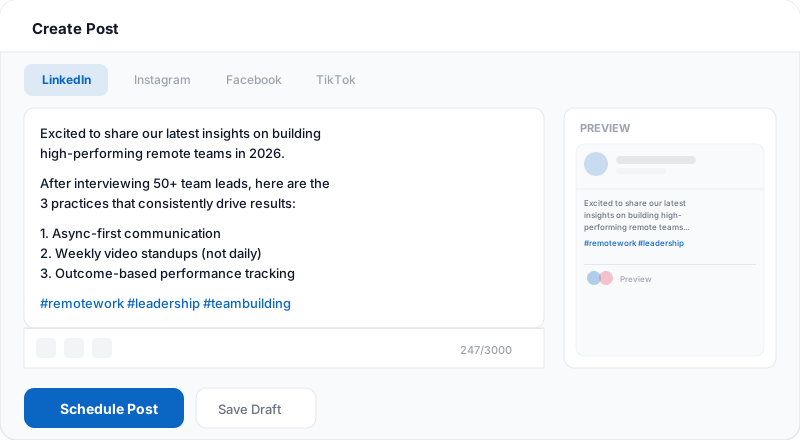
TikTok content strategy and posting frequency
TikTok's algorithm is unique in that it can surface content from any account, regardless of follower count. This means every video has a chance to go viral, but it also means you need to post frequently to maximize your chances. Most growth strategies recommend posting at least once per day, though 3 to 5 times per week is a sustainable minimum.
The key is consistency over volume. Posting 3 high-quality videos per week on a regular schedule will outperform 10 low-effort videos posted sporadically. TikTok's algorithm learns your posting pattern and adjusts how it distributes your content accordingly.
Postger's smart queues make consistent posting easy. Define your preferred time slots (for example, Monday, Wednesday, and Friday at 6 PM) and add videos to the queue as you create them. The scheduler fills the next available slot automatically, so you never miss a posting window.
Repurpose TikTok videos to Reels and Shorts
One of the biggest time-savers with Postger is the ability to repurpose short-form video across platforms. A single vertical video can work on TikTok, Instagram Reels, YouTube Shorts, and Facebook Reels. Instead of uploading the same video four times to four different apps, you do it once in Postger and schedule all four from the same composer.
Each platform has different caption styles and hashtag conventions. TikTok captions tend to be short and punchy with trending hashtags. Instagram Reels captions can be longer with more branded hashtags. YouTube Shorts descriptions support links. Postger's per-platform tabs let you customize each version without creating separate posts.
This workflow is especially valuable for agencies managing short-form video across multiple platforms for multiple clients. One video upload turns into four platform-optimized posts, all scheduled and tracked from a single dashboard.
Related guides
When is the best time to post on TikTok?
TikTok engagement patterns differ from other platforms because of its younger audience and entertainment focus. General benchmarks suggest that evenings between 7 PM and 9 PM tend to perform well, as does the lunchtime window around 12 PM to 1 PM. Tuesday, Thursday, and Friday often see slightly higher engagement.
However, the best time for your account depends on where your audience is located and when they are most active. A B2B brand targeting professionals might see better results in the morning, while a lifestyle brand targeting Gen Z might peak in the evening.
Postger analyzes your TikTok account's engagement data and suggests personalized optimal posting windows. These recommendations update as your audience grows and changes. Combined with smart queues, you can set your posting times once and let the scheduler handle the rest.
Postger vs TikTok native scheduling
TikTok added native scheduling in 2023, available through the desktop web interface. You can upload a video, pick a date and time up to 10 days ahead, and TikTok publishes it automatically. For a solo creator managing one TikTok account, native scheduling handles the basics.
The 10-day limit is the biggest constraint. If you plan content more than a week and a half ahead, native scheduling cannot accommodate your workflow. There is also no visual calendar, no way to see your TikTok posts alongside other platforms, no team approval process, and no bulk scheduling.
Postger removes those limits. Schedule TikTok videos as far in advance as you need. See them on a visual calendar alongside Instagram, LinkedIn, Facebook, and other platforms. Route videos through team approval before publishing. And repurpose the same video to Instagram Reels, YouTube Shorts, and Facebook Reels from a single composer. The comparison table below covers all the differences.
Track TikTok performance with analytics
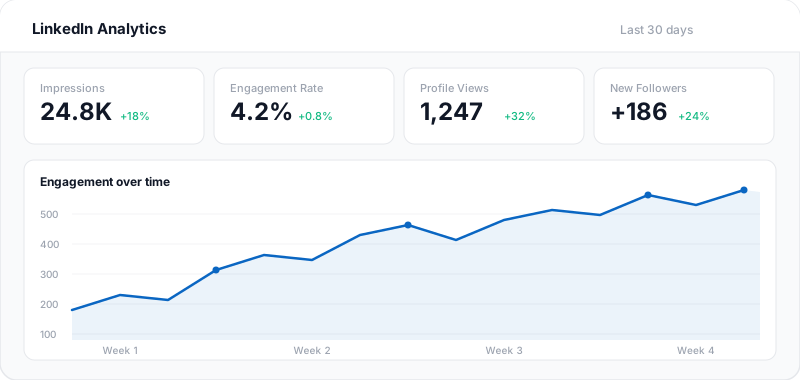
After your videos publish, Postger pulls performance data from TikTok's API and displays it in analytics alongside your other platforms. You can see views, likes, comments, shares, and engagement rate for every video.
Cross-platform comparison helps you understand where your short-form video performs best. Maybe a video that got 50K views on TikTok only got 5K on Instagram Reels. Or maybe a different style of content works better on one platform than the other. These insights help you tailor your content strategy per platform.
Agencies can compile cross-platform reports that show TikTok video metrics next to Instagram Reels, YouTube Shorts, and other channels. Clients see one cohesive performance overview instead of separate dashboards per platform.
TikTok scheduling for teams and agencies
When multiple people create TikTok content, you need a review process. Postger lets you set up approval chains where videos go through the right people before publishing. A creator uploads the video, a team lead reviews the content and caption, and a client gives the final approval.
Agencies get a branded client portal. Clients can view pending TikTok videos, leave comments, and approve content without needing their own Postger account. Each client has an isolated workspace with its own calendar and media library.
Pricing is flat. The Agency plan at $41/month includes unlimited users, workspaces, and social profiles. Whether you manage 3 TikTok accounts or 30, the price stays the same.
Key TikTok scheduling features
Direct video upload
Upload TikTok videos directly in Postger. No need to transfer files to your phone or use the TikTok app to publish.
No scheduling limit
Schedule TikTok videos weeks or months ahead. No 10-day limit like TikTok's native scheduler.
Repurpose to Reels & Shorts
Post the same video to Instagram Reels, YouTube Shorts, and Facebook Reels from the same composer.
Team review & approvals
Route TikTok videos through your team or client for approval before they go live.
Visual content calendar
See your TikTok videos alongside all your other scheduled content on a unified calendar.
Performance analytics
Track views, likes, comments, and shares across TikTok and other platforms in one dashboard.
Smart queues
Define recurring time slots and Postger fills them automatically as you add videos to the queue.
Media library
Store and organize your video files in a shared library. Access them from any workspace.
Postger vs TikTok native scheduling
| Feature | Postger | TikTok |
|---|---|---|
| Schedule posts in advance | ||
| Visual content calendar | - | |
| Multi-platform scheduling | 10+ platforms | TikTok only |
| Team approval workflows | - | |
| Schedule from desktop | ||
| Schedule ahead limit | Unlimited | 10 days |
| Bulk scheduling | - | |
| Client portal for review | - | |
| Cross-platform analytics | TikTok only | |
| Repurpose to Reels/Shorts | - | |
| Smart queues | - | |
| Media library | - |
Frequently asked questions
Can you schedule posts on TikTok?
Yes. TikTok allows native scheduling up to 10 days in advance through its desktop app. Postger extends this by letting you schedule TikTok videos with no time limit, alongside content for 10+ other platforms, with team approvals and a visual calendar.
Does scheduling TikTok videos hurt reach?
No. Postger publishes through TikTok's official API, so your video appears exactly as if you uploaded it natively. TikTok does not penalize content published through authorized third-party tools.
How far in advance can you schedule TikTok posts?
TikTok's native scheduler limits you to 10 days ahead. Postger has no limit. You can schedule TikTok videos weeks or months in advance and build out your entire content calendar.
Can you schedule TikTok posts from a computer?
Yes. Both TikTok's native scheduler (desktop web) and Postger let you schedule from a computer. With Postger, you can also manage your TikTok content alongside Instagram, LinkedIn, Facebook, and other platforms from the same dashboard.
Can I repurpose TikTok videos to Instagram Reels?
Yes. When creating a post in Postger, you can select TikTok, Instagram Reels, YouTube Shorts, and Facebook Reels as targets simultaneously. Customize the caption for each platform and schedule them all from one composer.
What is the best time to post on TikTok?
General benchmarks suggest evenings (7 PM to 9 PM) and lunchtime (12 PM to 1 PM) perform well, but it depends on your audience. Postger analyzes your account's engagement data and suggests personalized optimal posting windows.
How many TikTok videos should I post per week?
Most TikTok growth strategies recommend 3 to 7 videos per week. Consistency matters more than volume. With Postger's smart queues, you can set recurring time slots and the scheduler fills them as you add videos to the queue.
Can my team review TikTok videos before publishing?
Yes. Postger includes approval workflows where videos go through one or more reviewers before publishing. A creator uploads the video, a team lead checks the content and caption, and nothing goes live without the required approvals.
How much does a TikTok scheduler cost?
Postger plans start at $17/month (billed yearly) with a 7-day free trial. The Agency plan at $41/month includes unlimited users, workspaces, and social profiles. No per-seat fees or per-channel charges.
Ready to schedule your TikTok posts?
Start your 7-day free trial. No credit card required.
$0.00 due today, cancel anytime
Schedule posts on other platforms
Schedule posts, carousels, and articles to your LinkedIn profile and company pages.
Schedule posts, Reels, and multi-image content to Facebook Pages and Groups.
Threads
Schedule and auto-publish Threads posts alongside your Instagram and other platforms.
Schedule pins to specific boards and manage your Pinterest content from one calendar.
Schedule feed posts, Reels, Stories, and carousels to your Instagram accounts.