WhereToOpen.ai
Data-driven location intelligence tool that generates comprehensive market reports for prospective business owners, analyzing competitors, foot traffic, and financial viability in under 60 seconds.
About WhereToOpen.ai
Introduction
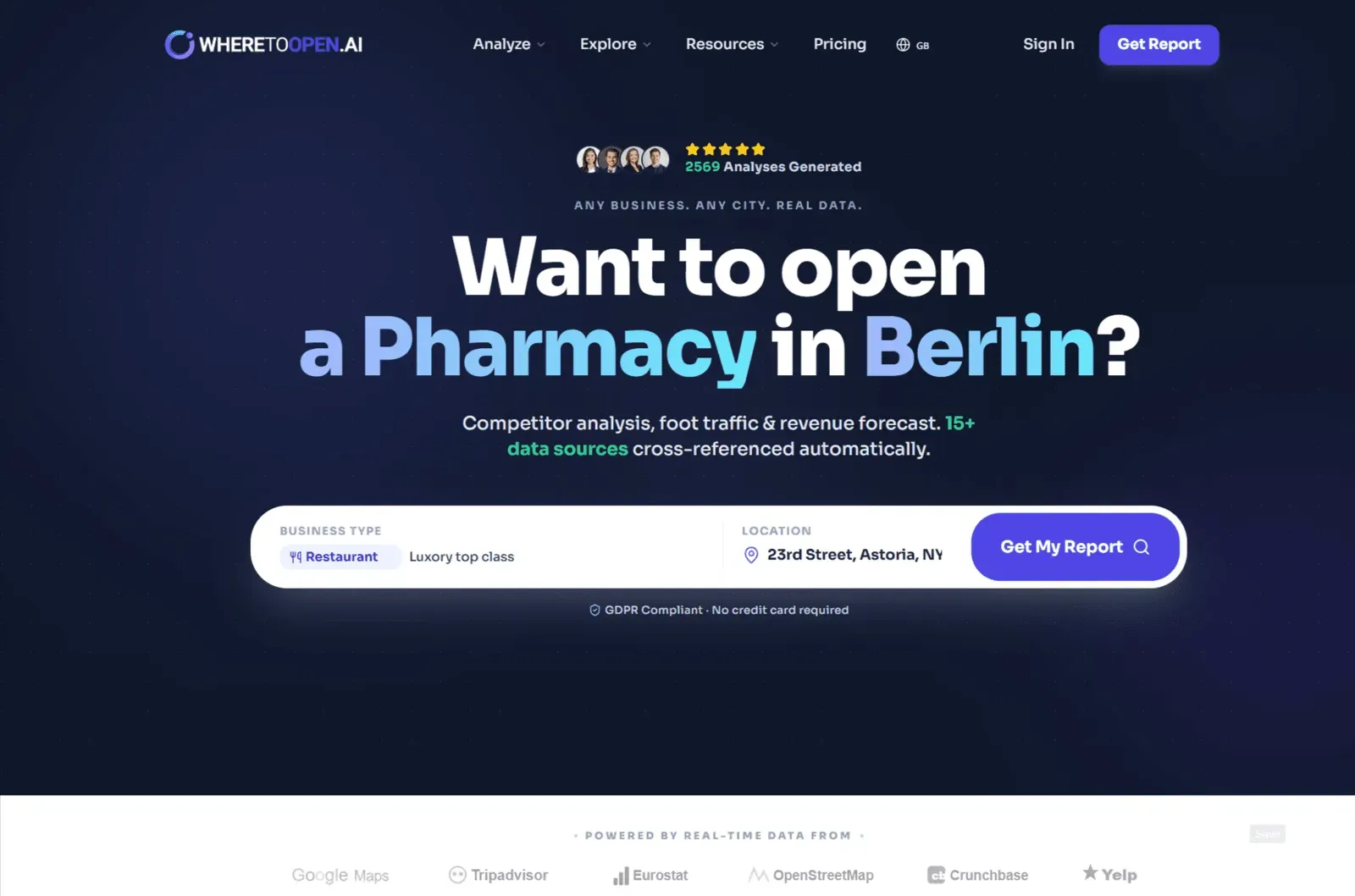
Choosing the right location is often the single most critical decision for any new business. A great product or service can still fail if it opens in an area with low foot traffic, intense competition, or mismatched demographics. WhereToOpen.ai tackles this problem head-on by offering an AI-powered location intelligence platform that analyzes any address worldwide and produces a detailed market report in less than a minute. Designed specifically for SMBs and independent entrepreneurs, this tool aggregates data from over 15 sources—including Google Maps, Yelp, and demographic databases—to provide competitor analysis, revenue forecasts, and strategic recommendations. For anyone on the verge of signing a lease, this kind of insight can be the difference between thriving and closing within a year.
Key Features
WhereToOpen.ai packs a lot into a single report. Instead of manually cross-referencing spreadsheets, multiple browser tabs, and local knowledge, users receive a structured document covering all the essential location metrics. Here are the standout features:
- Location Health Score: Every address gets a score from 1 to 100, indicating overall viability for the selected business type. This instant assessment covers demand, competition, and demographics, giving entrepreneurs a quick gut-check before committing to a deep dive.
- Competitor Analysis: The platform identifies nearby competitors within a chosen radius and pulls real-time data such as ratings, pricing, opening hours, and customer sentiment. This allows users to spot underserved niches or saturated markets quickly.
- Foot Traffic & Accessibility: Using geospatial data, WhereToOpen.ai estimates foot traffic patterns, walkability, and accessibility. The report also highlights peak hours, which is particularly useful for retail and hospitality businesses that depend on steady customer flow.
- Demographic & Customer Personas: Local census and economic data are transformed into actionable customer profiles. For example, a report might show the area is populated by young professionals with disposable income, enabling the user to tailor pricing and marketing accordingly.
- Revenue Forecasting & Financial Modeling: A 3-scenario analysis (conservative, standard, optimistic) projects revenue and costs, including break-even timelines. This feature helps entrepreneurs understand whether the business model is sustainable before investing significant capital.
- Strategic Action Plan: The AI generates a prioritized list of recommendations, such as securing a specific type of location, building supplier relationships, or launching a loyalty program. This turns raw data into a step-by-step playbook.
- PDF Export & Sharing: Reports can be exported as investor-ready PDFs, making it easy to share with partners, banks, or co-founders. The PDF includes all charts, competitor comparisons, and financial projections.
- Free Health Score Tool: For a quick, no-signup check, users can enter any address and business type to get a basic viability score. This is a low-friction way to test the platform without paying anything.
- Worldwide Coverage: The tool works for locations globally, with support for major cities across Europe, the United States, Asia, and the Middle East. The multi-language interface (English, Italian, Spanish, French, German, Portuguese) makes it accessible to international entrepreneurs.
How It Works
The user experience is designed to be straightforward and fast. On the homepage, there’s a prominent search bar where you specify a business type (e.g., restaurant, bar, hair salon, gym) and a location (city, neighborhood, or even a specific address). Once submitted, the AI engine begins processing data behind the scenes. Within about 60 seconds, it generates a comprehensive report.
The report is structured in an easy-to-read format. It opens with an executive summary that includes the overall viability score, the number of competitors found, a confidence percentage, and the total data points analyzed. Subsequent pages dive into competitor breakdowns with score bars, demographic profiles, foot traffic heatmaps, and revenue projections. Each section links back to verifiable data sources, though real data is mixed with estimates when direct information isn't available—the report clearly distinguishes between the two.
One notable feature is the interactive sample report on the homepage. Users can scroll through a fake example (Astoria Bakery) to understand exactly what they’ll receive. This transparency helps set expectations and demonstrates the depth of analysis before anyone pays. The free Health Score tool is even quicker: input an address and business type, get an instant 1-100 score without requiring an account.
After the initial report is generated, users can purchase additional reports or upgrade to compare multiple locations. For example, the Standard plan allows up to three location comparisons, which is useful when evaluating different neighborhoods or even different cities.
Use Cases
WhereToOpen.ai serves a variety of practical scenarios:
- First-time Entrepreneurs: Someone opening their first café or boutique can use the data to avoid costly mistakes. The report identifies whether an area has enough passing traffic and whether existing competitors are leaving room for another player.
- Expanding Businesses: Existing brands looking to open a second or third location can compare potential sites. The tool’s financial modeling helps determine which location offers the best return on investment.
- Franchisees: A franchisee can evaluate whether a proposed territory meets the brand’s minimum requirements, such as income levels and foot traffic thresholds.
- Real Estate Developers & Brokers: Those who lease or sell commercial properties can use the reports as a value-added service for their clients. Showing a strong location score can help close a lease faster.
- Restaurant Owners: A restaurant-specific guide on the site walks through location analysis, competitor benchmarking, and revenue projections tailored to the food service industry.
- Gym & Fitness Studio Owners: The report includes membership projections and equipment costs, helping fitness entrepreneurs choose a catchment area with enough potential members.
- Investors & Business Partners: The investor-ready PDF reports make it easy to present a well-researched business case to potential investors or lenders. Instead of relying on intuition, entrepreneurs can back their location choice with concrete data.
- City Comparison: The site features detailed lists of top markets like London, New York, Paris, Milan, and Dubai. Users can explore city-specific insights and guides, then use the tool to run a head-to-head comparison of two cities (e.g., London vs. Paris) for a given business type.
Pricing & Value
WhereToOpen.ai uses a straightforward tiered pricing model, and the first report is free without requiring a credit card. This is a great way for users to gauge the platform’s usefulness before making a financial commitment.
- Starter – €99: Includes one full report with competitor analysis, revenue projections, and a strategic location score. Suitable for a single location check.
- Standard – €249: Three reports, allowing comparison of up to three locations. Adds customer persona insights and priority processing. Savings of roughly 16% per report.
- Pro – €790: Ten full reports, designed for expansion planning. Includes seasonal forecast data and supplier network intel, saving about 20% per report.
For an entrepreneur planning to open a business, the cost is minimal compared to the risk of signing an expensive lease in the wrong place. The free tier alone provides enough value to test the waters. When compared to professional consulting services or alternatives like Placer.ai or Esri Business Analyst, WhereToOpen.ai is far more accessible for small businesses, although those enterprise tools offer deeper data customization and integrations.
Final Verdict
WhereToOpen.ai is a powerful, practical tool for any entrepreneur who wants to reduce guesswork in location selection. Its combination of real-time competitor data, foot traffic analysis, demographic insights, and financial forecasting is impressive for the price point. The 60-second turnaround is a game-changer compared to weeks of manual research, and the free Health Score provides a risk-free entry point.
On the downside, the accuracy of the data is reliant on third-party sources, and some metrics are estimated rather than measured directly. For niche business types or less populated areas, the available data may be sparser, reducing the confidence level. Additionally, the pricing model is per-report, which can become expensive for those wanting to do extensive market research across many regions.
Overall, for most small business owners and independent entrepreneurs, WhereToOpen.ai offers excellent value. The ability to compare multiple locations, generate investor-ready PDFs, and walk away with a clear action plan is exactly what a data-driven launch requires. It’s not a substitute for local market intuition or professional consulting, but it’s an extremely strong first step. Before signing that lease, it’s worth giving the free report a try—the insights could save a lot more than the cost of the subscription.
Pros
- Generates a full site-selection report in under 60 seconds using data from 15+ sources like Google Maps and Yelp, eliminating weeks of manual research.
- The free Health Score tool provides instant location viability assessments without requiring signup or payment, making it easy to test multiple areas.
- Includes a 3-scenario revenue forecast and break-even analysis, giving entrepreneurs concrete financial projections before they commit to a lease.
- The competitor analysis tool provides real-time ratings, pricing, hours, and sentiment, helping identify underserved niches or oversaturated markets.
- Reports are exportable as investor-ready PDFs with all charts and data, which is valuable for securing funding or partnerships.
Cons
- The accuracy of the analysis depends on the quality and completeness of third-party data sources, which may be lacking in smaller cities or rural areas.
- The per-report pricing model can become costly for users who need to evaluate many potential locations across multiple cities or countries.
- Some data points are estimated rather than directly measured, and the confidence percentage varies by report, so the results should be verified with local knowledge.