Speechyou
Speechyou is an AI voice-to-text transcription tool that records meetings and voice notes, supports 1,700 languages, and offers automatic summaries, multilingual translation, and exports like SRT and VTT.
About Speechyou
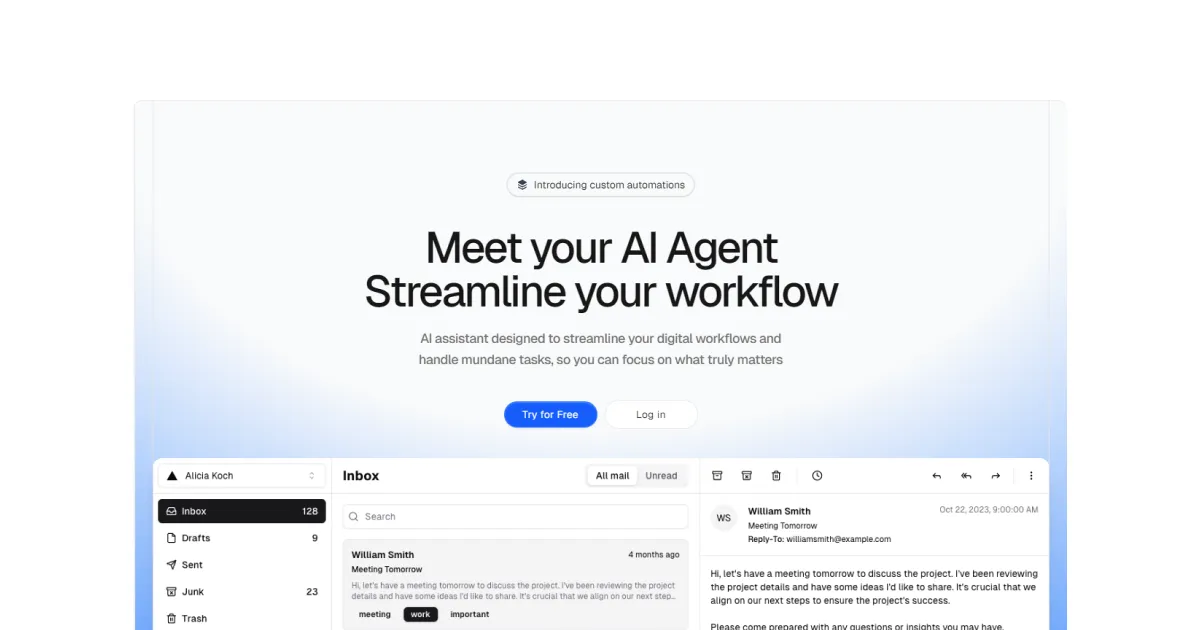
Speechyou is a cloud-based, AI-driven speech-to-text platform that promises to convert audio from meetings, voice notes, videos, and interviews into accurate, searchable text. The product is particularly notable for claiming support for an unprecedented 1,700 languages, which far exceeds industry standards like Otter.ai or Rev. With a sleek browser interface, Speechyou combines recording, transcription, translation, and AI conversation into a unified tool. This review examines the actual workflows, features, and pricing, and evaluates whether it’s a worthy replacement for existing transcription solutions.
Key Features
The feature set of Speechyou is expansive, yet each piece is carefully designed for practical use. Below is an analysis of the most important components.
Transcription Engines: Whisper and MultiLingual Pro
Speechyou builds its transcription layer on two distinct models. The first is OpenAI’s Whisper, an open-source speech recognition system that is already known for its robustness across 100+ languages. The second is a proprietary MultiLingual Pro model, which shares the weight of handling lesser-known dialects and indigenous languages. This hybrid approach is what allows the platform to claim 1,700 language locales. Unlike some competing tools that force users to manually select a language, Speechyou performs automatic language detection in every upload. This is especially useful in a global team meeting where the speaker may switch between Spanish and English mid-call.
Browser Voice Recorder and Meeting Capture
Instead of requiring a dedicated mobile app or desktop download, Speechyou includes a full-featured voice recorder in the browser. Users can click "Record," allow microphone access, and start capturing notes instantly. The integrated media recorder shows a live waveform, a timer, and pause/resume controls. The more sophisticated feature, though, is "Meeting" mode. This lets the app record both the user's microphone and system audio simultaneously. In practice, that means if someone joins a Zoom call using their computer, Speechyou can capture the remote participant's voice from the computer's speakers and the user's own voice from the mic, all in one audio track. This obliterates the need to install separate meeting bots or use a phone as a second recorder. The transcription output separates speakers to some extent, though the accuracy of speaker identification depends on the audio clarity.
Ask AI: Contextual Q&A for Every Recording
One of the strongest reasons to adopt Speechyou is the Ask AI feature. After a file is transcribed, a chat panel sits on the right side. Users can pose natural-language questions in a way that gives context to the model. For example, "What were the budget numbers discussed?" or "Which dates did the team agree on?" or "List all the risks John mentioned." The AI doesn't just summarize the text; it extracts specific data points and even maintains context across multiple queries. This function transforms Speechyou from a simple transcription utility into a meeting intelligence platform. The AI-generated summaries are particularly good at condensing a 60-minute conversation into a bulleted list of decisions and action items.
Multilingual Translation with Timestamp Preservation
Speechyou claims to support transcription and translation in 1,700 languages. The translation feature is a standout for international teams—it produces a fully timestamped text version in another language. For example, an English podcast can be translated into French while preserving every timecode. This enables the creation of multilingual subtitles without manual alignment. However, the current Solo plan limits translation to 15+ popular languages. It is crucial to distinguish between the ability to transcribe in 1,700 languages and the ability to translate into 1,700 languages. The former is always available; the latter might require a higher-tier API plan. Nevertheless, the 15+ languages cover the vast majority of global speakers.
Multiple Export Formats for Every Platform
Exporting transcripts in Speechyou is straightforward. Users can download as TXT, SRT, VTT, or JSON. TXT is useful for pasting into documents or emails. SRT and VTT are the standard formats for video subtitling—YouTube, Vimeo, and most video editors accept these directly. JSON export contains the full structured representation of the transcript, including timestamps, speaker ids, and confidence scores. This machine-readable format is ideal for developers who want to feed transcriptions into another system, such as a CRM or a data visualization pipeline.
Team Workspaces with Granular Permissions
The Solo plan (which is the only paid tier advertised) includes three workspaces. Each workspace is effectively a container for a group of transcriptions. Team members can be invited to a workspace, and their permissions can be set to view-only or edit. Real-time updates mean that if a product manager edits a meeting note, other members see the change instantly. The user interface is well-suited for search, filtering by tags, or starring critical transcripts. A global search bar covers the full text of every transcription, making it trivial to find a decision made months ago.
Security and Enterprise Readiness
Despite being a small SaaS product, Speechyou has invested in enterprise-friendly security measures. It claims end-to-end encryption for stored files and uses AWS S3 as the underlying object storage. Their infrastructure is described as SOC 2 compliant. While that doesn't equate to HIPAA compliance, it is a strong signal for businesses that need to protect proprietary conversations. There is also a Stripe Climate badge, indicating a commitment to sustainability.
Additional Free Tools
Speechyou extends its ecosystem with a set of free audio tools: an audio trimmer, converter, merger, MP3 compressor, speed changer, and voice recorder. These tools are functional enough for minor edits and are accessible from the free tools page. They don't require an account and serve as a low-friction entry point for new visitors. If a user converts an audio file with the Audio Converter, the next logical step might be to transcribe it, which funnels them into the main product.
API and Claude MCP
Developers are not left out. Speechyou offers a speech-to-text API for programmatic access, and a Claude MCP connector that enables Anthropic's Claude models to call the transcription service. This is a savvy move for agents that need to process multi-step tasks. The API endpoints likely cover upload, transcription status, and retrieval, which can be embedded into internal tools.
How It Works
To illustrate how Speechyou works in practice, let's walk through a scenario: a project manager needs to transcribe a 45-minute status meeting and then share minutes with a distributed team.
First, the user logs into the Speechyou web app and clicks the "New" button. They choose "Meeting" mode, which triggers a permission dialog for microphone access. They also need to grant permission for system audio capture; on Chrome, this might require enabling flags or using a recommended capture method. The interface changes to a recording-in-progress screen with a timer.
Alternatively, if the meeting has already occurred, the manager can upload the MP4 or WAV file from their computer. The upload interface accepts common formats like MP3, WAV, M4A, and FLAC. There's a file size limit based on plan: Free tier allows 10 MB; Solo allows 1 GB. Once the upload finishes, the transcription engine begins processing. The UI shows a progress bar and estimated time. For a 45-minute recording, it typically takes one to three minutes of processing.
When ready, the transcript appears with speaker labels (Speaker 1, Speaker 2, etc.) and timestamps. The text is highlighted with different colors for different speakers. If the audio contains technical jargon, the transcription might make errors, but the editing interface allows quick manual correction. Users can click on a segment and retype text. After edits, the transcript can be re-exported with all timestamps intact.
The PM then clicks on "Ask AI" and types: "Summarize the meeting into key decisions and action items with owners and deadlines." Within a few seconds, the AI returns a structured list—something like:
- Launch date finalized: June 15.
- Need to send product docs to design by Wednesday.
- QA team to run regression by Friday.
That output can be copied directly into a Slack message or email.
For a global team, the PM might translate the summary into Spanish and French using the Translate tab. The translation preserves the action items and dates, enabling colleagues who don't speak English to follow along.
Finally, the PM clicks "Export" and picks "TXT" for the minutes and "SRT" if they need to add captions to an internal video. Within five minutes of the meeting ending, the entire documentation workflow is complete.
Use Cases
- Journalists and Podcasters: Speechyou’s high accuracy for long audio, combined with timestamped transcriptions, cuts down interview processing time. The JSON export allows detailed analysis and quote searching. Podcasters can upload their episode, get a transcript for show notes, and then use Ask AI to suggest 5 short clips or pull a notable quote for social media.
- Remote-first Companies: With meeting mode that records both sides, teams no longer need separate meeting bots. They can record Zoom, Microsoft Teams, and Google Meet directly. The Ask AI feature automatically converts long-winded status calls into crisp progress reports. Non-native English speakers also benefit from the translation feature—Japanese developers can request a Japanese summary of an English design review.
- Academic Researchers: Interview-based research involves hours of audio. Using Speechyou, researchers can upload interviews, create searchable databases of quotes, and use the "Ask AI" to detect patterns across multiple interviews. The 1,700-language coverage is a game changer for linguistics and anthropology studies.
- Sales and Marketing Teams: Sales calls are goldmine of objections and insights. After recording a sales call with the team workspace, sales managers can query "Which objections did the customer raise?" and get a structured list to improve their pitch. Marketing teams can also record customer interviews, transcribe them, and generate case study content.
- Content Creators and YouTubers: Creating subtitles manually is painstaking. With Speechyou, users can upload their video’s audio, get SRT/VTT files, and fix minor errors. The translation feature allows them to repurpose content for a global audience.
- Healthcare and Legal Professionals: While Speechyou does not offer HIPAA-specific compliance, teams might use it for non-confidential meetings or medical research interviews. The security protocols, such as end-to-end encryption, provide a reasonable barrier for sensitive information.
Pricing & Value
Speechyou's pricing is structured for both try-before-you-buy and continuous use. The Free plan offers up to three transcriptions each day, with a 10 MB upload limit for each file. That's sufficient to test the core transcription accuracy on short recordings—say a five-minute voice memo. The Free plan also includes one workspace and basic TXT export. Users who want to use SRT/VTT for video will need to upgrade.
The Solo plan costs $15 per month or $67 annually. This unlocks unlimited transcriptions, supports uploads up to 1 GB (which can handle long meetings), and expands the export options to SRT, VTT, JSON, and TXT. There are also three workspaces, permitting collaboration with other team members. Translation to 15+ languages is enabled—the free tier doesn't include translation. The annual plan is clearly the better value, equivalent to $5.58 per month, which covers ~37% of the monthly cost.
The pricing page highlights that the Solo plan is geared toward professionals and content creators. There is no mention of a Team plan, so the three workspaces cap might be limiting for larger organizations. Enterprises would likely have to contact sales or rely on the API for custom integrations.
Overall, the pricing is competitive. For comparison, Otter.ai's monthly plans start at $16.99 per month per user, while Speechyou offers a comparable feature set at a lower price. The 3-day free trial (with no credit card) and the persistent free tier make it easy to evaluate without upfront commitment.
Final Verdict
Speechyou delivered on many fronts during this review. The dual-engine transcription is impressively accurate, especially for English and Spanish. The meeting capture uses a clever browser-based method that avoids installing virtual audio cables or third-party plugins. Ask AI is not a gimmick; it genuinely summarizes and extracts structure from long documents. The ability to translate a transcript while preserving timestamps is a rare and welcome capability, even with the current 15-language limit.
However, there are a few caveats. The language support of 1,700 is more about transcription than translation, and users with niche language needs might find the 15+ translation limit a hurdle. The free plan is mostly a teaser due to upload size constraints. And because there is no desktop app, recording may rely on network stability and browser permissions, which could be flaky for some users.
Still, for the majority of remote teams, podcasters, journalists, and students, Speechyou is an excellent tool. Its clean interface, quick turnaround, and generous free tier set it apart. The API also positions it as a flexible back end for custom NLP workflows. If those 1,700 languages (even for transcription alone) are necessary for real work, there is arguably no other SaaS that comes close. Speechyou deserves a try for any workflow that regularly involves turning speech into text.
Pros
- Supports automatic transcription in 1,700 languages, far beyond typical speech-to-text tools that only handle 50-100 languages.
- Meeting mode records both microphone and system audio, making it easy to capture Zoom, Teams, or Google Meet calls without installing separate bots.
- Ask AI feature generates summaries, action items, and answers directly from the transcript, saving time for meeting documentation.
- Offers multiple export options including TXT, SRT, VTT, and JSON, which are essential for subtitles and developer workflows.
- Free plan provides 3 transcriptions per day with no credit card required, allowing for thorough testing before upgrading.
Cons
- Translation capability on the Solo plan is limited to 15+ languages, despite the 1,700-language transcription claim.
- Free plan restricts file uploads to 10 MB, which is insufficient for long meetings or high-quality recordings.
- There is no dedicated desktop application; the tool relies on browser-based recording, which may be less reliable for long sessions.